Bulk Connect: Every Mailbox on Your Domain, in One Admin Approval
Connecting mailboxes one at a time is the part of email warmup nobody writes about, and the part that actually stops teams from doing it. Thirty mailboxes means thirty app passwords, thirty OAuth screens, and thirty things to re-do the next time someone rotates a password. Bulk Connect replaces all of that with a single approval from your domain administrator.
Google Workspace uses Domain-Wide Delegation: a Super Admin authorises one client ID against a fixed scope list. Microsoft 365 uses Entra admin consent: a Global Admin clicks Accept once. Either way, every mailbox on the domain becomes available to import - and there is not a single app password anywhere in the process.
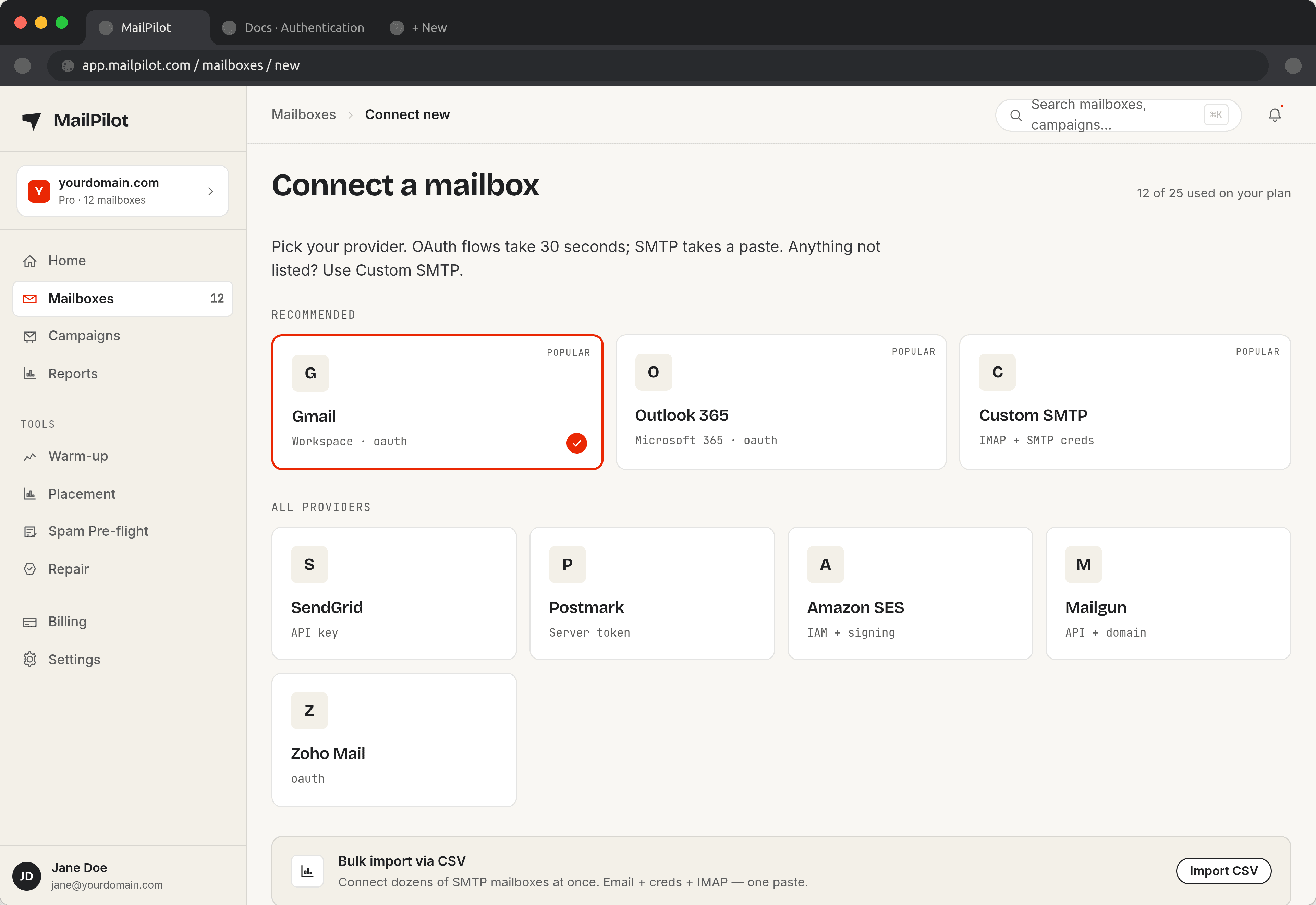
Why connecting mailboxes one at a time does not scale
A warmup tool needs two things from a mailbox: permission to send from it, and permission to read it so delivery can be confirmed and replies can be sent. The traditional way to grant that is per mailbox - an app password for IMAP/SMTP, or an OAuth consent screen the mailbox owner clicks through.
That is fine for one mailbox. At ten it is tedious. At fifty it is a project, and it has an ongoing cost that most people do not anticipate:
- App passwords expire and get revoked. Someone changes a password, enables or disables 2FA, or an admin clears app passwords across the org - and warmup silently stops for those mailboxes.
- Every new hire is a new setup task. A mailbox created today is not warming until somebody remembers to connect it.
- Credentials have to live somewhere. Fifty app passwords is fifty secrets in a tool, which is fifty things to rotate if anything ever goes wrong.
- Admins often block it outright. Many Google Workspace and Microsoft 365 tenants disable app passwords entirely as a security baseline, which makes per-mailbox IMAP connection impossible before you even start.
Bulk connect sidesteps all four, because the authorisation is granted once at the domain level by the person who already has authority over those mailboxes.
Google Workspace: Domain-Wide Delegation
Domain-Wide Delegation (DWD) is Google’s own mechanism for exactly this. A Super Admin registers an application’s client ID in the Admin console along with a specific list of OAuth scopes. From that point the application can act on behalf of users on that domain - but only within the scopes that were granted, and only on that domain.
In the Google Admin console, go to Security -> Access and data control -> API controls -> Manage Domain-wide Delegation.
Paste MailPilot's client ID and the exact scope list shown in the app. Nothing outside those scopes can be accessed.
Back in MailPilot, the domain's mailboxes are listed. Tick the ones you want warming and import them in one pass.
The scopes matter, so it is worth being precise about them. DWD is not “access to the domain” - it is access to the specific capabilities listed, and Google enforces that boundary. If a scope is not in the list the admin approved, the API call fails. An admin can review, narrow, or revoke the grant at any time from the same screen.
Microsoft 365: one admin consent, no PowerShell
Microsoft’s equivalent is Entra admin consent. A Global Administrator opens a consent link, reviews the permissions Microsoft itself displays, and clicks Accept. There is no application registration to create on your side, no client secret to generate, no certificate to upload - and, deliberately, no PowerShell.
That last point is worth calling out, because most guides for connecting Microsoft 365 to a third-party mail tool start with a block of Exchange Online PowerShell. For simply connecting a tenant, none of it is necessary.
Open the consent link from MailPilot and sign in as a Microsoft 365 Global Administrator. No app registration needed on your side.
Microsoft shows exactly which permissions are being granted. One click. No PowerShell, no certificates.
You land back in MailPilot with the tenant connected. Choose which mailboxes to warm - the rest are left alone.
One thing to know before you approve it. Microsoft grants application permissions across the entire tenant - the consent screen covers every mailbox, and there is no way to narrow it there. That is how Microsoft Graph application permissions work, not a choice the application makes. We only ever touch the mailboxes you explicitly import. If you want the grant itself restricted, Microsoft provides Application Access Policy, which lets your admin scope the app to a specific mail-enabled security group at the tenant level.
What happens after the tenant is connected
Connection is the hard part; everything after it is the product doing its job. Once mailboxes are imported they appear in one table with their warmup state, reputation, and placement - so a fleet of forty behaves like one object rather than forty separate setups.
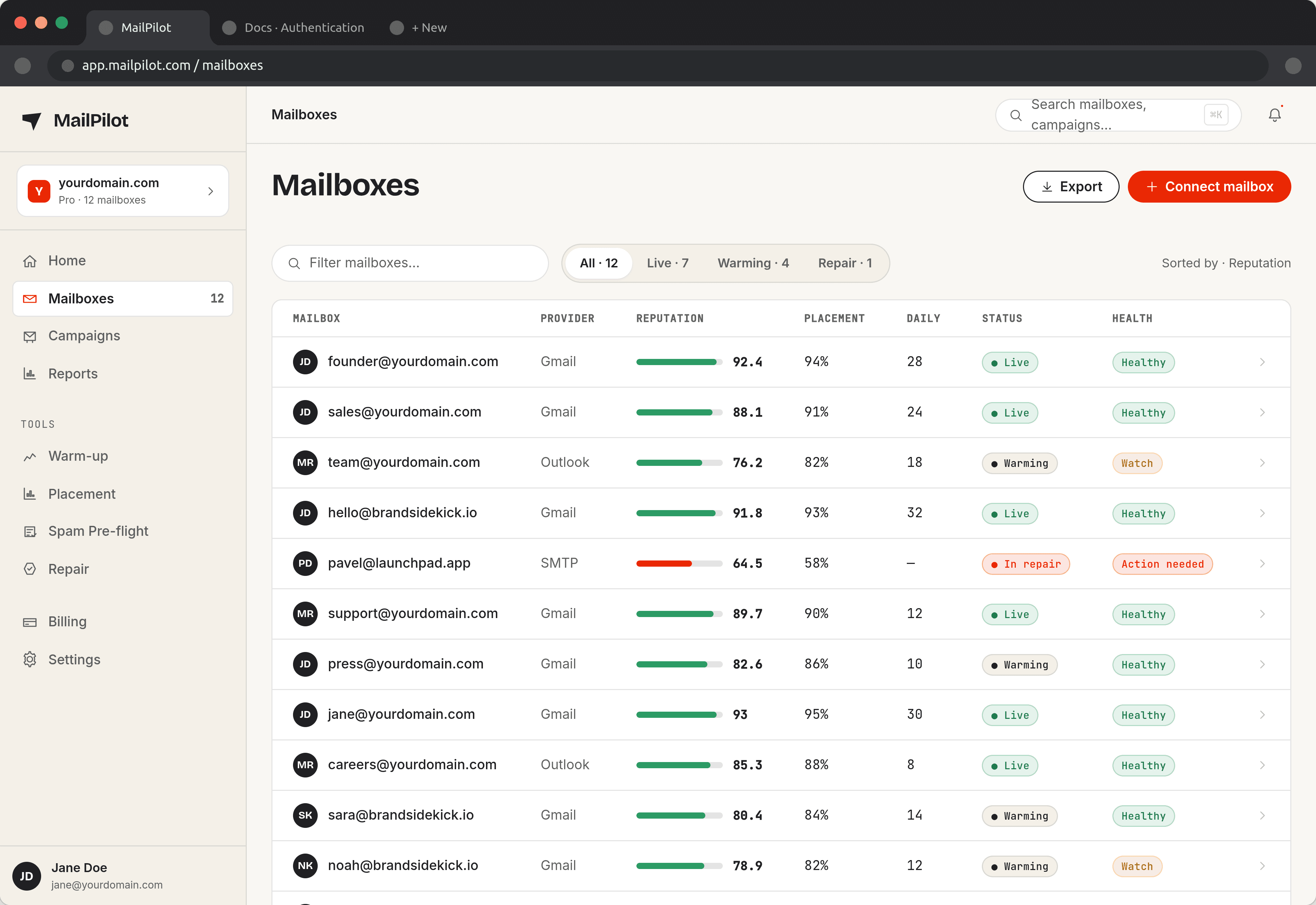
From there it is ordinary warmup, with one difference: everything is fleet-wide by default. Warmup can be enabled across every imported mailbox at once rather than forty switches at a time, and a single ramp applies to each new mailbox as it joins.
What that ramp looks like day by day is covered in how long email warmup takes. How to tell whether it is working - reading placement per receiving provider rather than one account-wide average - is in the deliverability guide, and does email warmup actually work shows reputation and placement tracked over time.
No Credit Card Required
Connect Your Whole Domain in One Approval
Google Workspace Domain-Wide Delegation or Microsoft 365 admin consent - import every mailbox at once, no app passwords. Start free, no credit card.
8,400+ real mailboxes · 99.2% inbox placement · 340+ companies trust it
Bulk connect vs. connecting mailboxes individually
| One at a time | Bulk connect | |
|---|---|---|
| Setup for 40 mailboxes | 40 passwords or consent screens | One admin approval |
| App passwords needed | Yes, one per mailbox | None |
| Blocked if the org disables app passwords | Yes | No |
| Adding a new hire's mailbox | Full setup again | Already available to import |
| If a password is rotated | Warmup breaks silently | Unaffected |
| Who has to be involved | Every mailbox owner | One administrator, once |
Who this is for
Agencies running outreach for multiple clients, where each client is a separate domain and connecting them individually is the single biggest onboarding cost. Agency email warmup is largely a mailbox-management problem, and this is the part that makes it tractable.
Sales teams running multi-mailbox outbound, where the whole point is spreading volume across many sending addresses so none of them carries enough to get filtered.
Anyone on a locked-down tenant where app passwords are disabled as policy - in which case domain-level authorisation is not just more convenient, it is the only route that works at all.
Security: what is actually granted
It is reasonable to be cautious about any approval that covers a whole domain, so to be concrete about it:
- Google grants only the scopes the admin pasted in. Anything outside that list fails at the API. The grant is visible and revocable from the Admin console at any time.
- Microsoft grants tenant-wide application permissions, as described above. Application Access Policy can narrow it to a security group, and the grant can be revoked from Entra at any time.
- Verification before storage. A grant is tested before any connection record is saved, so a half-finished or non-working authorisation never leaves behind something that looks connected.
- One tenant, one account. A domain or tenant can be connected under a single account at a time - consent on both platforms carries no per-caller binding, so without this an outsider could authorise a domain someone else already manages.
Frequently asked questions
Frequently Asked Questions
Bulk connect is a single administrator approval that lets a warmup tool access every mailbox on your domain at once, instead of connecting each mailbox individually with its own password or OAuth consent. Google Workspace does this through Domain-Wide Delegation, where a Super Admin authorises an application's client ID against a fixed list of scopes. Microsoft 365 does it through Entra admin consent, where a Global Administrator approves the application once for the whole tenant. In both cases you then choose which mailboxes to actually import.
Related guides
No Credit Card Required
Stop Connecting Mailboxes One at a Time
Authorise once as an admin and import every mailbox on the domain. Works with Google Workspace and Microsoft 365.
8,400+ real mailboxes · 99.2% inbox placement · 340+ companies trust it